SVG and metafiles
An SvgImage records drawing commands. From one recording you can write vector output (SVG or EMF) that stays sharp at any size, or render a bitmap at a size you choose. Rendering to a bitmap fixes the resolution; the recording does not.
RecordSvg

Records a gradient, an ellipse and a line into a 720 × 420 SvgImage, saves RecordSvg-recorded.svg, and renders the PNG shown above.
Create a drawing surface with svg.CreateGraphics() and draw with the normal Graphics API. Dispose the graphics before saving so the recording is finished. Save writes the SVG; RenderToBitmap() replays the same commands onto a bitmap of the image's size. Keep the SVG when the picture has to scale; the PNG has a fixed number of pixels.
internal static void VectorRecordAsSvg(ExampleContext context)
{
    using var svg = new SvgImage(720, 420);
    using (var graphics = svg.CreateGraphics())
    using (var pen = new Pen(Color.DarkBlue, 5))
    using (var brush = new LinearGradientBrush(new PointF(0, 0), new PointF(720, 420), Color.LightSkyBlue, Color.MediumPurple))
    {
        graphics.FillRectangle(brush, 0, 0, 720, 420);
        graphics.DrawEllipse(pen, new RectangleF(120, 85, 480, 250));
        graphics.DrawLine(pen, 150, 300, 570, 120);
    }
    svg.Save(context.Path("RecordSvg-recorded.svg"));
    using var rendered = svg.RenderToBitmap();
    ExampleSupport.Save(rendered, context, "RecordSvg-recorded.png", ImageFormat.Png);
}
LoadSvg

Writes a small SVG file, loads it with new SvgImage(path), and rasterizes it with RenderToBitmap(900, 520).
The fixture is 640 × 360 and the bitmap is 900 × 520, a slightly different aspect ratio, so the image is stretched to fit; gradients and stroke widths stretch with it, exactly as a browser would draw the same file at that size. Pass a size with the same ratio as the SVG's viewBox when you do not want distortion. Which SVG features are supported is a property of the reader, so test your own files.
internal static void LoadAndRasterizeSvg(ExampleContext c)
{
    string input = CreateSvgFile(c, "LoadSvg-input.svg");
    using var svg = new SvgImage(input);
    using var bitmap = svg.RenderToBitmap(900, 520);
    ExampleSupport.Save(bitmap, c, "LoadSvg-rasterized.png", ImageFormat.Png);
}
SvgOptions
Saves one scene (an ellipse and a line of text) twice with different SvgEncoderParameters:
TextMode = SvgTextMode.Textwrites the string as a<text>element: small, selectable and editable, but it needs the font on the viewer's machine.TextMode = SvgTextMode.Path(the default) converts each glyph to a<path>: larger, but it looks identical everywhere and needs no font.
Indent pretty-prints the XML, and CoordinatePrecision sets how many decimals are written for coordinates; fewer decimals make smaller files but can distort fine geometry. The size of each file:
TextMode.Text: 540 bytes
TextMode.Path: 6124 bytes
The text-mode file (generic font families are written as the CSS keyword sans-serif, serif or monospace, and the size in pixels):
<?xml version="1.0" encoding="utf-8" standalone="yes"?>
<svg xmlns:xlink="http://www.w3.org/1999/xlink" width="500" height="260" viewBox="0 0 500 260" xmlns="http://www.w3.org/2000/svg">
  <path d="M420 125C420 171.94 343.89 210 250 210C156.11 210 80 171.94 80 125C80 78.06 156.11 40 250 40C343.89 40 420 78.06 420 125Z" fill="none" stroke="rgb(0,0,139)" stroke-width="4" />
  <text font-family="sans-serif" font-size="37.33" font-weight="bold" fill="rgb(0,0,139)">
    <tspan x="150" y="133.8">Vector text</tspan>
  </text>
</svg>
internal static void SvgOutputOptions(ExampleContext c)
{
    using var svg = new SvgImage(500, 260);
    using (var g = svg.CreateGraphics())
    using (var pen = new Pen(Color.DarkBlue, 4))
    using (var font = new DrawingFont(FontFamily.GenericSansSerif, 28, FontStyle.Bold))
    using (var brush = new SolidBrush(Color.DarkBlue))
    {
        g.DrawEllipse(pen, new RectangleF(80, 40, 340, 170));
        g.DrawString("Vector text", font, brush, 150, 100);
    }

    // The same scene written twice: text as <text> elements, and text outlined to <path> elements.
    var asText = new SvgEncoderParameters { TextMode = SvgTextMode.Text, Indent = true, CoordinatePrecision = 2 };
    var asPaths = new SvgEncoderParameters { TextMode = SvgTextMode.Path, Indent = true, CoordinatePrecision = 2 };
    svg.Save(c.Path("SvgOptions-svg-options.svg"), asText);
    svg.Save(c.Path("SvgOptions-text-as-paths.svg"), asPaths);
    File.WriteAllText(c.Path("SvgOptions-summary.txt"),
        $"TextMode.Text: {new FileInfo(c.Path("SvgOptions-svg-options.svg")).Length} bytes\n" +
        $"TextMode.Path: {new FileInfo(c.Path("SvgOptions-text-as-paths.svg")).Length} bytes\n");
}
ReuseVectorScene

Records one scene and uses it twice: saved as ReuseVectorScene-reused-scene.svg and rendered to the PNG above.
Because both outputs come from the same recording, there is only one set of drawing calls to maintain. The SVG remains vector data; the PNG is a snapshot at the scene's size.
internal static void ReuseVectorScene(ExampleContext c)
{
    using var svg = new SvgImage(640, 360);
    using (var g = svg.CreateGraphics())
    using (var brush = new SolidBrush(Color.LightSeaGreen))
        g.FillEllipse(brush, new RectangleF(100, 60, 440, 240));
    using var raster = svg.RenderToBitmap();
    svg.Save(c.Path("ReuseVectorScene-reused-scene.svg"));
    ExampleSupport.Save(raster, c, "ReuseVectorScene-reused-scene.png", ImageFormat.Png);
}
ReadMetafile
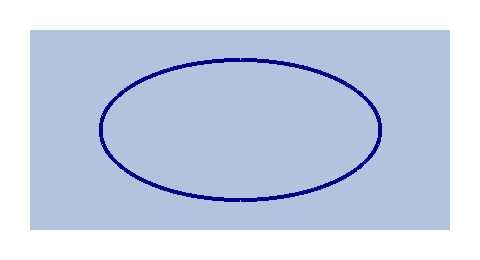
Opens an EMF file with new Metafile(path) and renders it with ToBitmap(). The example creates the EMF first, from a recorded SvgImage, so that no external file is needed.
Open an EMF to render it, read its Width, Height and RawFormat, or compare it with another. The properties of the generated file:
Dimensions=480x260
Format=Emf
Other EMF files can contain records the renderer does not support; check your own files.
internal static void ReadMetafile(ExampleContext c)
{
    string emf = CreateMetafile(c, "ReadMetafile-input.emf");
    using var metafile = new DrawingMetafile(emf);
    using var bitmap = metafile.ToBitmap();
    ExampleSupport.Save(bitmap, c, "ReadMetafile-metafile-rendered.png", ImageFormat.Png);
    File.WriteAllText(c.Path("ReadMetafile-metafile-info.txt"), $"Dimensions={metafile.Width}x{metafile.Height}\nFormat={metafile.RawFormat.Name}\n");
}
RecordMetafile
Records a scene and saves it as EMF by calling Save(path, ImageFormat.Emf) on the SvgImage.
An EMF is a binary list of drawing records, so there is no picture to show here; the file is the scene that ReadMetafile renders. Recording happens in an SvgImage and the format is chosen at Save, so there is no separate metafile graphics context to create. Open the result in the application that will consume it before relying on more complex drawing.
internal static void RecordMetafile(ExampleContext c)
{
    string emf = CreateMetafile(c, "RecordMetafile-recorded.emf");
    File.WriteAllText(c.Path("RecordMetafile-recorded.txt"), $"Recorded vector output: {System.IO.Path.GetFileName(emf)}\n");
}
ConvertVector
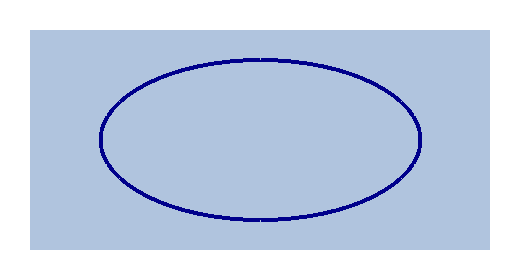
Loads an SVG, saves it as EMF with ImageFormat.Emf, reopens the EMF, and renders it to the PNG above.
This is a round trip through two vector formats and a raster preview. It works for the shapes in this scene; SVG features that EMF cannot express are approximated or dropped, so compare the result for the features you use.
internal static void ConvertSvgAndMetafile(ExampleContext c)
{
    string svgPath = CreateSvg(c, "ConvertVector-conversion-input.svg");
    using var svg = new SvgImage(svgPath);
    string emfPath = c.Path("ConvertVector-conversion.emf");
    svg.Save(emfPath, ImageFormat.Emf);
    using var metafile = new DrawingMetafile(emfPath);
    using var bitmap = metafile.ToBitmap();
    ExampleSupport.Save(bitmap, c, "ConvertVector-conversion.png", ImageFormat.Png);
}
CompareMetafile
Compares EMF files record by record with EmfComparer. The example compares a file with an identical copy, then with a copy drawn with a different pen colour:
Same drawing:   Equal=True, Differences=0
Pen colour changed: Equal=False, Differences=1
  record 12: record payload differs; left=#12 type=0x00000026 size=28 payload=20; right=#12 type=0x00000026 size=28 payload=20
AreEqual is the quick answer; Differences lists each differing record with its index and a reason, so you can see where two metafiles diverge. The comparison is of the records, not of pixels, so it does not produce a visual diff.
internal static void CompareMetafileOutput(ExampleContext c)
{
    string first = CreateMetafile(c, "CompareMetafile-left.emf", Color.DarkBlue);
    string same = CreateMetafile(c, "CompareMetafile-same.emf", Color.DarkBlue);
    string other = CreateMetafile(c, "CompareMetafile-right.emf", Color.DarkRed);

    var identical = new EmfComparer().Compare(first, same);
    var changed = new EmfComparer().Compare(first, other);
    var report = new System.Text.StringBuilder();
    report.AppendLine($"Same drawing:   Equal={identical.AreEqual}, Differences={identical.Differences.Count}");
    report.AppendLine($"Pen colour changed: Equal={changed.AreEqual}, Differences={changed.Differences.Count}");
    foreach (var difference in changed.Differences)
        report.AppendLine("  " + difference);
    File.WriteAllText(c.Path("CompareMetafile-comparison.txt"), report.ToString());
}
MultiFormatExport

Draws once into an SvgImage and exports the same scene as SVG, EMF and PNG.
One recording feeds all three encoders (Save for SVG, Save(path, ImageFormat.Emf) for EMF, RenderToBitmap() for PNG). Each format represents features slightly differently, so compare the outputs for the features your application uses.
internal static void DrawOnceExportMultiple(ExampleContext c)
{
    using var svg = new SvgImage(640, 360);
    using (var g = svg.CreateGraphics())
    using (var brush = new LinearGradientBrush(new PointF(0, 0), new PointF(640, 360), Color.SkyBlue, Color.MediumPurple))
    using (var pen = new Pen(Color.DarkBlue, 5))
    {
        g.FillRectangle(brush, new RectangleF(0, 0, 640, 360));
        g.DrawEllipse(pen, new RectangleF(120, 60, 400, 240));
    }
    svg.Save(c.Path("MultiFormatExport-draw-once.svg"));
    svg.Save(c.Path("MultiFormatExport-draw-once.emf"), ImageFormat.Emf);
    using var raster = svg.RenderToBitmap();
    ExampleSupport.Save(raster, c, "MultiFormatExport-draw-once.png", ImageFormat.Png);
}